Improve prototyping speed of Prisma
 Lukáš Huvar
 Prisma is a really great “next-generation” ORM. It enables developers to work with databases effortlessly. It had one downside, and that was an annoying prototyping developer experience.
Single command for schema changes
The 2.10.0 release improved everything with the possibility of running just one single command! Prisma introduced a new prisma db namespace for commands that operate directly against the database.
prisma db push --preview-featureIt greatly improves prototyping speed, because the developer is no longer required to write migrations. The command’s usage is mainly for prototyping and local environments. For production environments, you should use prisma migrate commands to run proper database migrations.
Save and run
If you are using VSCode, we can improve prototyping even more. There is the Save and Run extension, which enables us to run a command on save. You can install this extension through Extensions in VSCode or run this command:
code --install-extension wk-j.save-and-runNext, you need to add a settings file to your Prisma project to enable Save and Run to work on the schema.prisma file.
.vscode/settings.json{
  "saveAndRun": {
    "commands": [
      {
        "match": "schema.prisma",
        "cmd": "yarn prisma db push --preview-feature",
        "silent": false
      }
    ]
  }
}
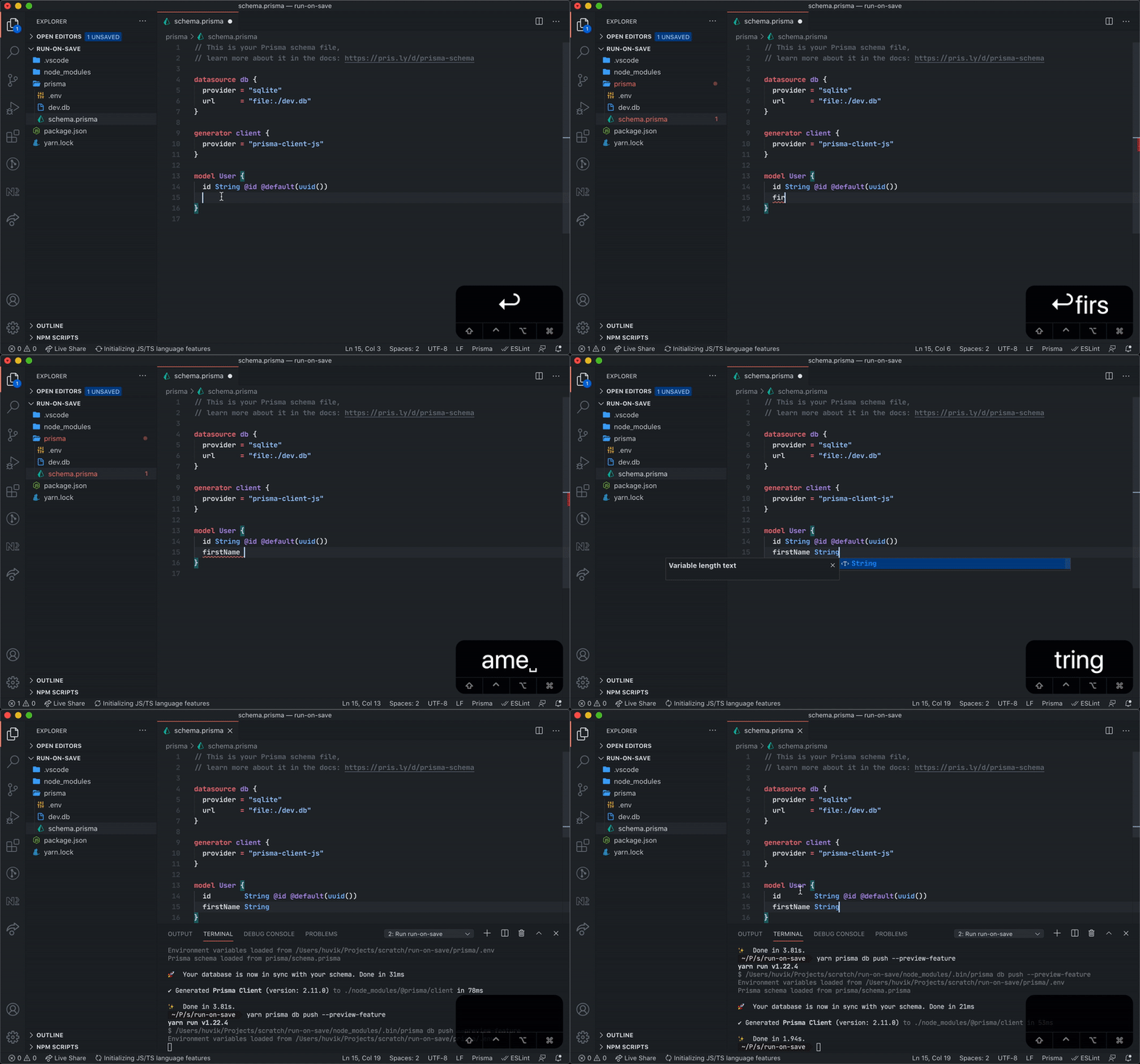
Here you can see the whole flow in action. It deploys a new schema to the database and generates types for PrismaClient.
You can use Save and run with other tools, such as:
- GraphQL code generator - generating code from your
GraphQLschema - Nexus.js - generating code-first
GraphQLschema
If you are not using VSCode, you can use Watchman, entr, or any other tool for watching file changes.